How to Create an Account
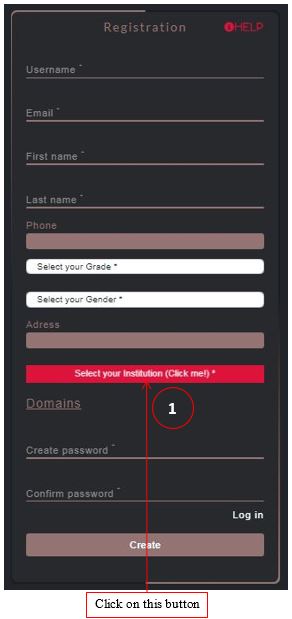
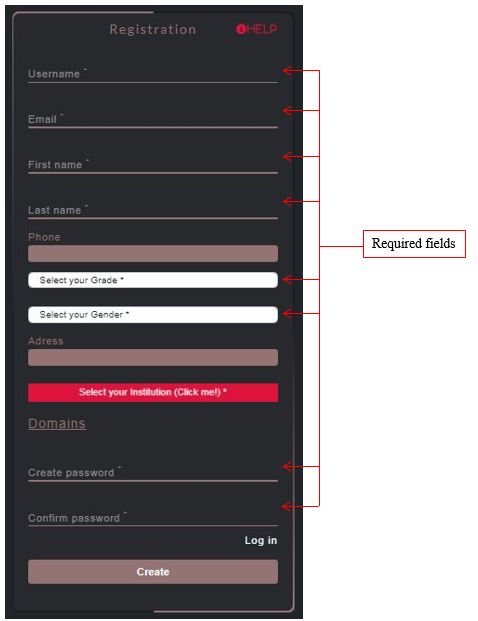
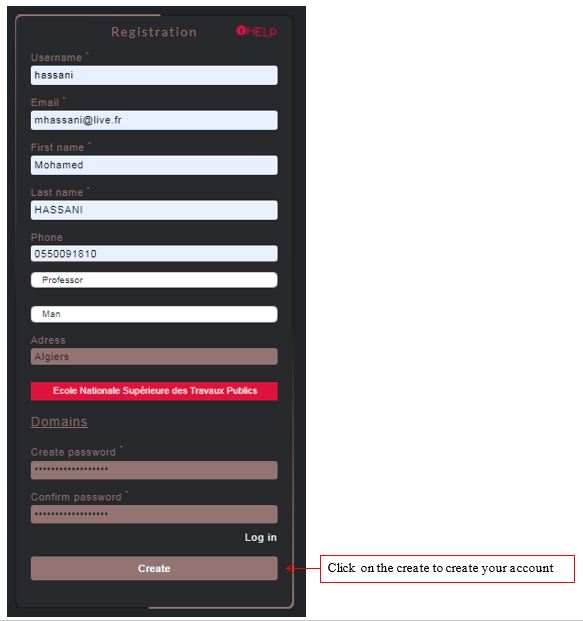
In this step you should fill all the fields presented by an asterisk (*) with appropriate information.
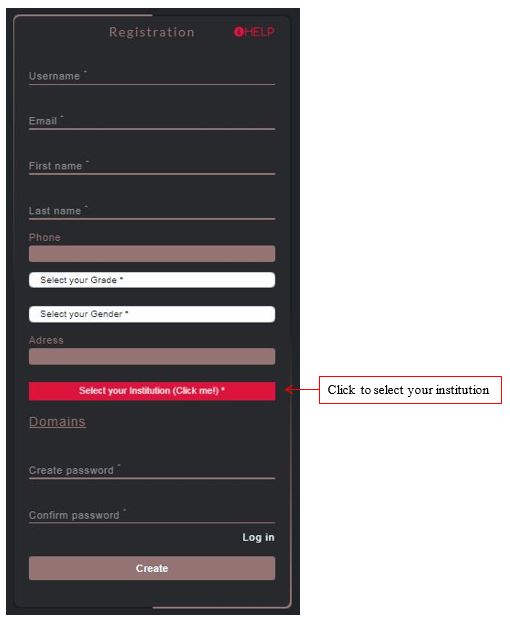
Click on the "Select your Institution" button to choose your institution/affiliation. This field is required.
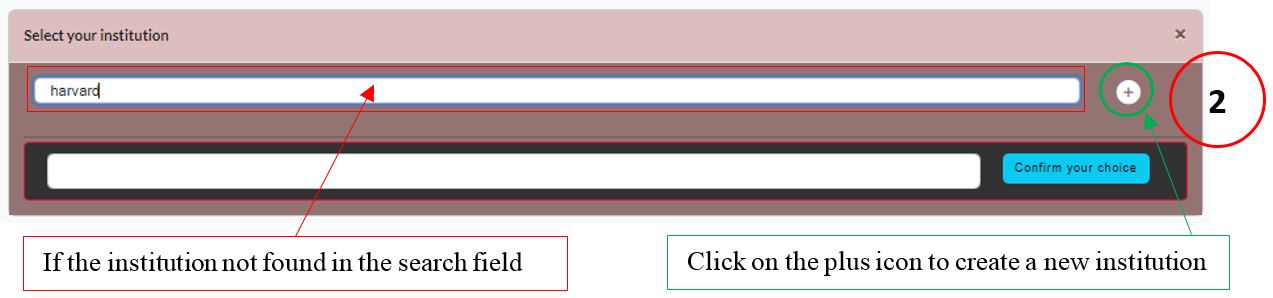
Once clicked, a search window appears. Type any keyword of your institution to find it.
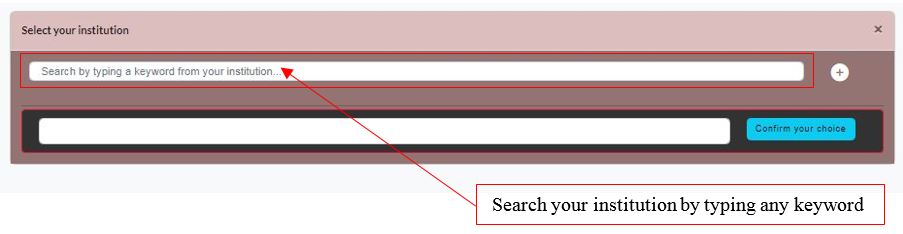
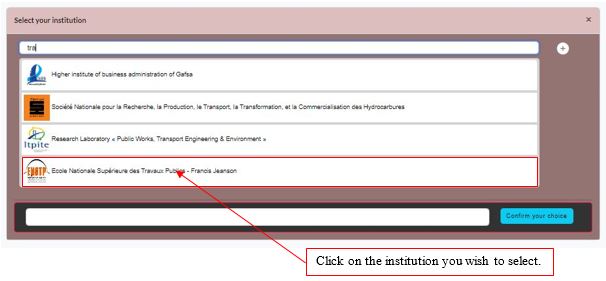
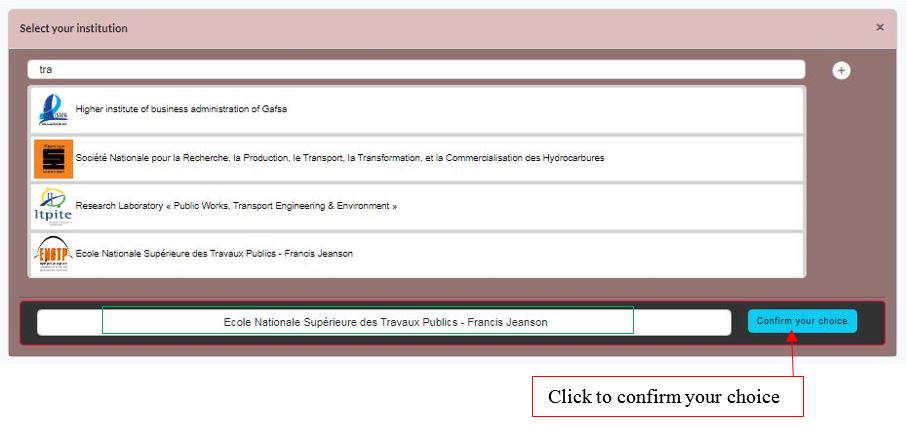
Use the dropdown list to select your institution, then click "Confirm your choice".
The selected institution's name will appear on the registration form.
Click the "Create Account" button to complete your registration.
You will be redirected to the login page with a notification that an activation link has been sent to your email.
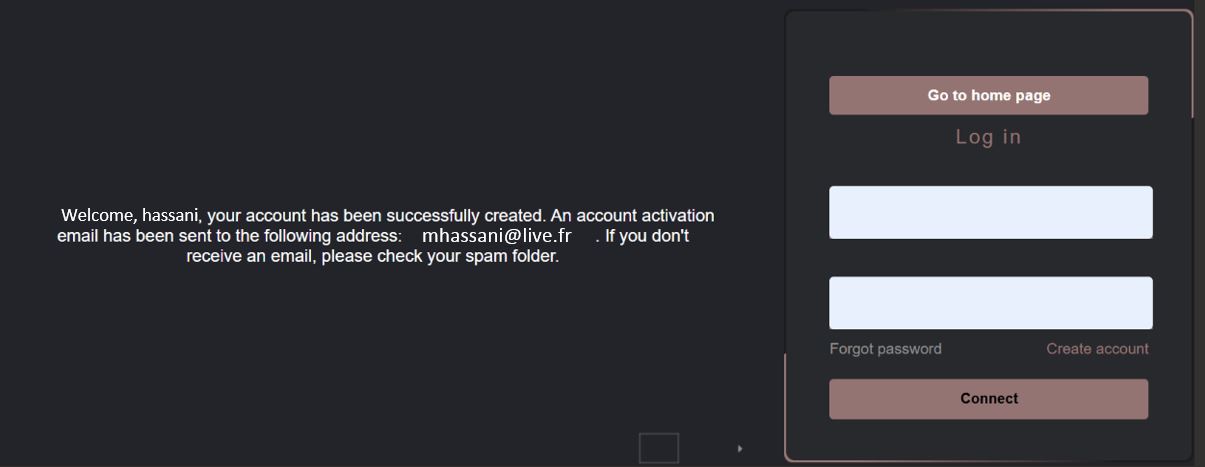
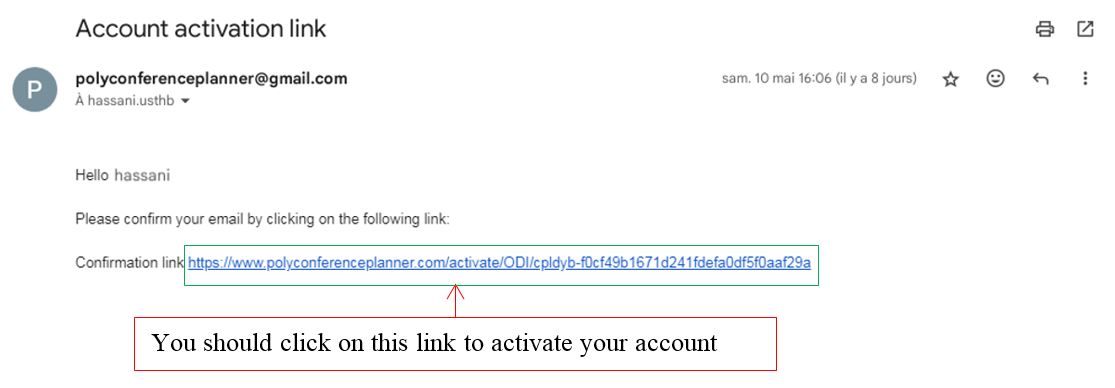
Check your inbox and click the link to activate your account. Check spam if not received.
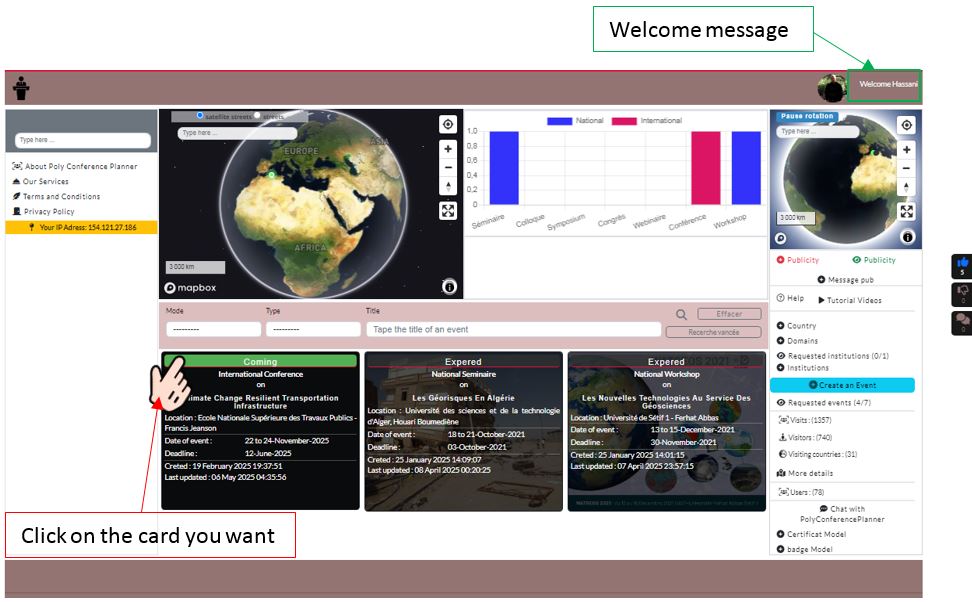
Once activated, you'll see the welcome message on the homepage!
If your institution is not found, you can create one:
1. Click on "Add new institution" link in the modal
2. Fill all required fields (name, email, abbreviation, logo)
3. Logo must be in jpg, jpeg or png format
4. Then redo the registration steps above